Collisions
There’s an important limitation of the data system to be aware of: The cables can only carry one signal per tick. If you have more than one device outputting into the network at the same time, the signal will be scrambled into gibberish for all receivers.
For example, if you have a serial bus on get mode and a script terminal outputting commands on the same network,
they will collide and cause the gibberish output.
However, there is a way around this problem. Using the Data Comparator or Data Combinator you can process multiple different signal inputs on the same tick.
Data Comparator
The Data Comparator is a somewhat primitive form of combining network outputs.
It takes in an input from both sides, and outputs redstone based on three modes: Equal, Contains, and Greater Than. (You can change the mode by shift-right-clicking the Data Comparator with an empty hand.)
In the below example, the Data Comparator is set to “contains” mode, and the script terminal is reading its value using redstone.
If the text in the book on the right (green) is contained within the book on the left (yellow), the script terminal (red) will read a redstone value >0.
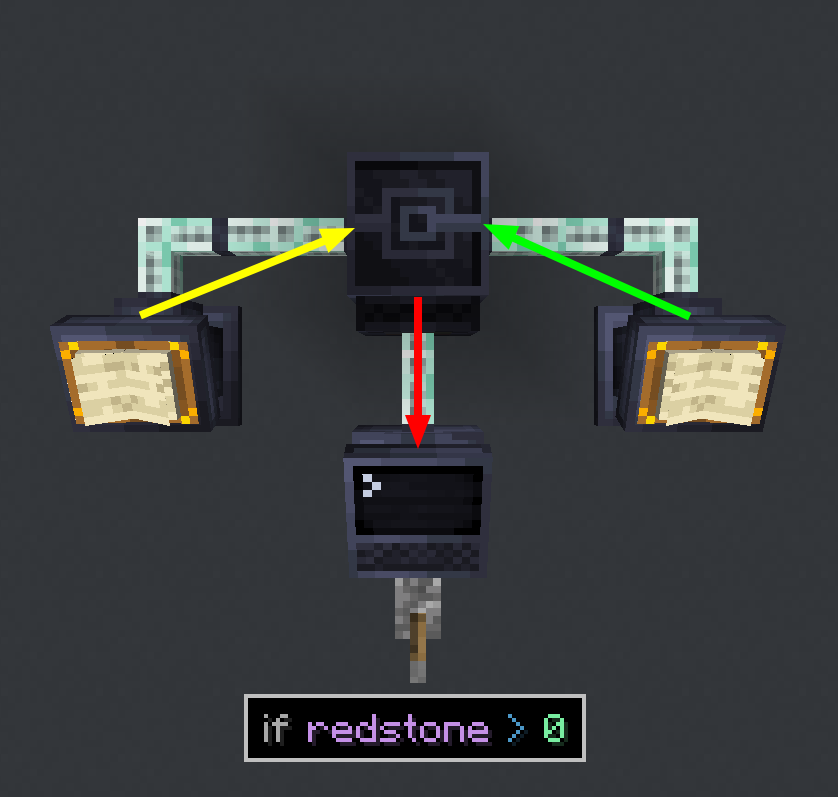
This is useful for simple comparisons between networks, but is limited by the fact it only outputs redstone.
Data Combinator
The Data Combinator is a more advanced way of combining network outputs. It has two modes, Append and Replace.
When in Append mode, it will output from the back the value from the left input (if any) with the input from the right (if any) added to the end.
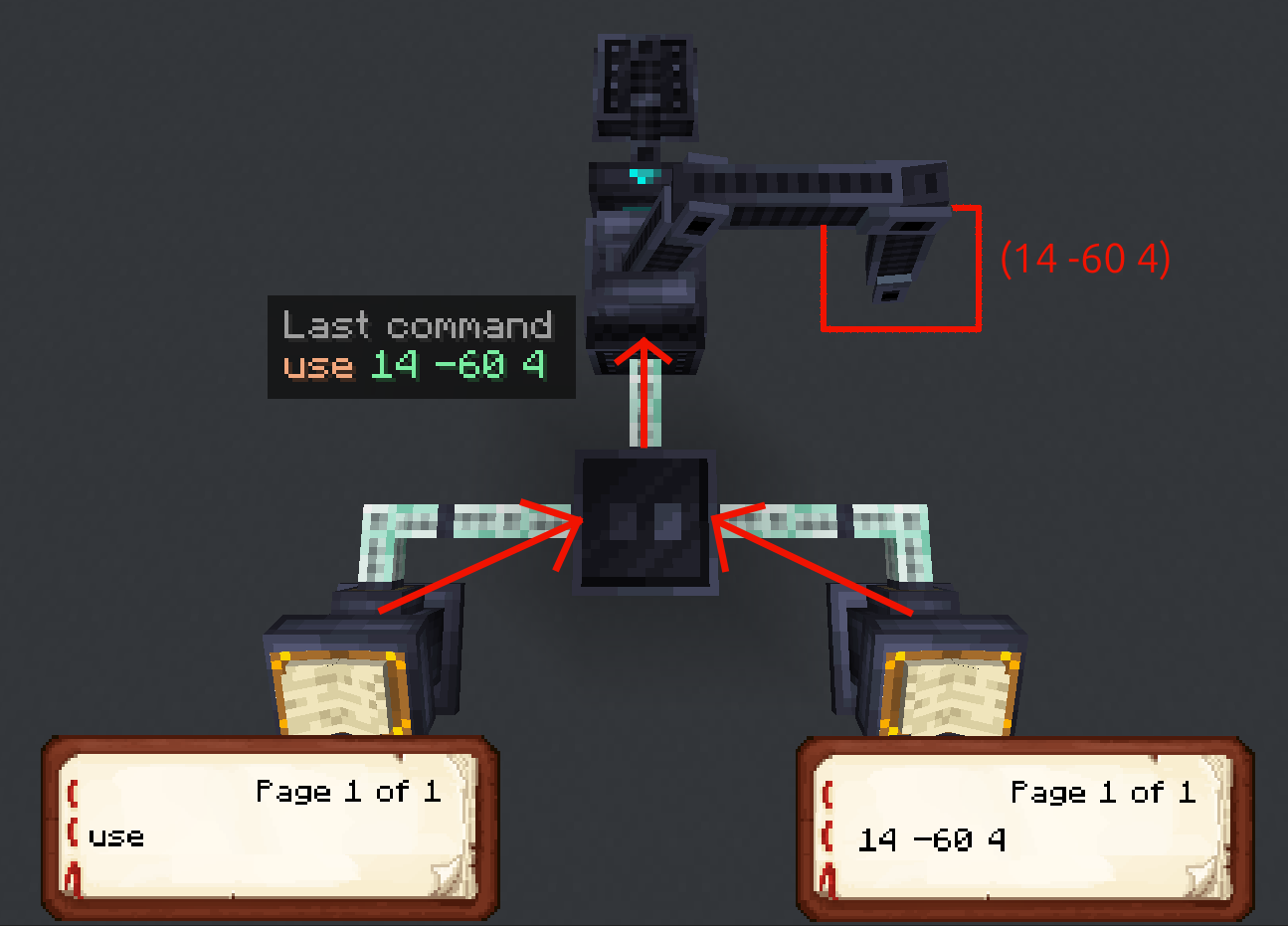
However this only works if you want to append directly to the end of a command. For a more precise combination,
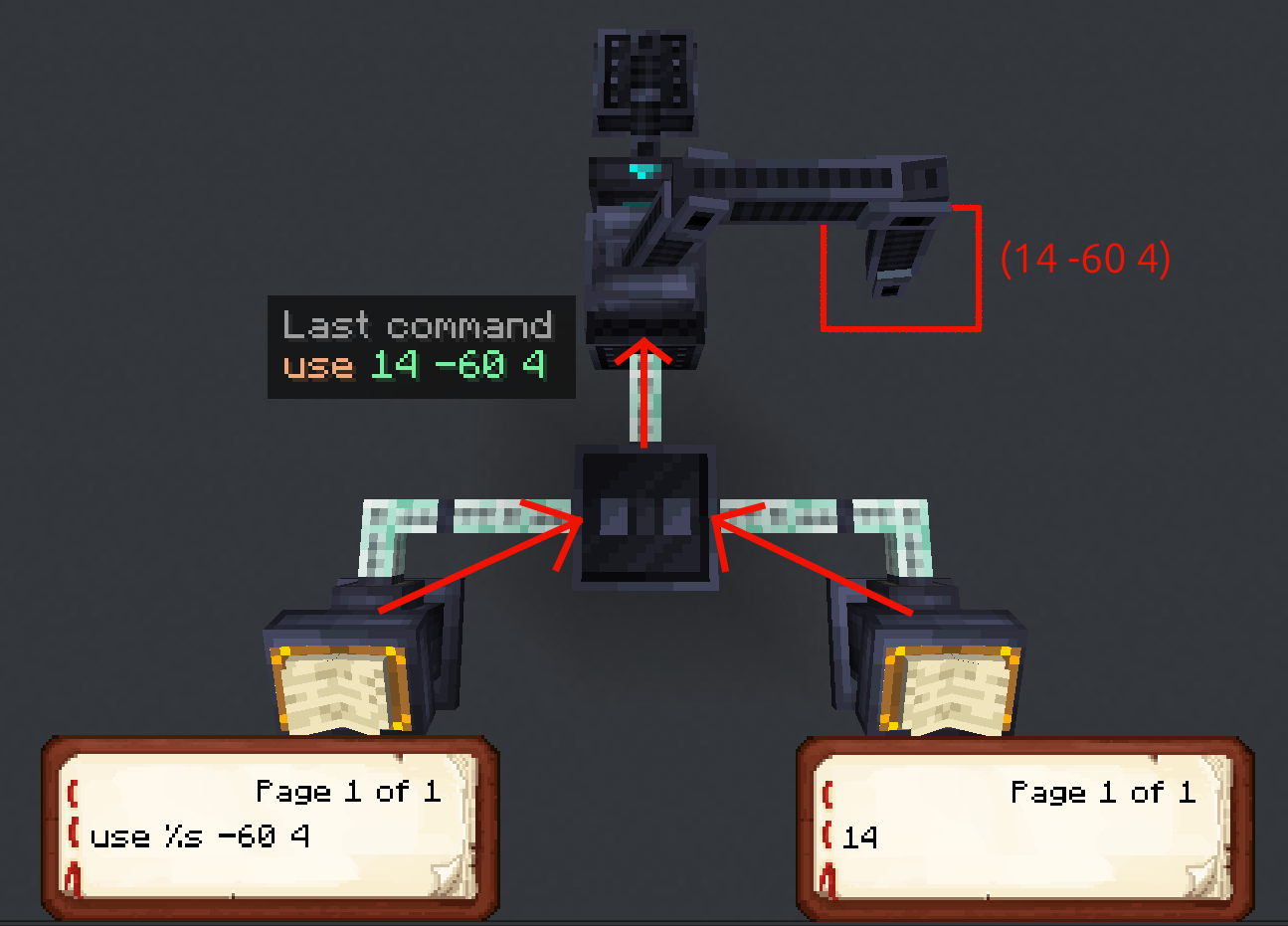
you can use the placeholder %s in the left input to specify where the right input should be inserted.
(Make sure to shift-right-click the combinator with an empty hand to switch to replace mode)