Basics
The script terminal can be tricky to get your head around at first, but will get easier as you learn how the data networks work.
The first important thing to know is that commands from the script terminal each run once for every serial bus connected.
That means when you send
write_page "hello world"
from the terminal, it will go to all connected serial buses and evaluate separately at each one.
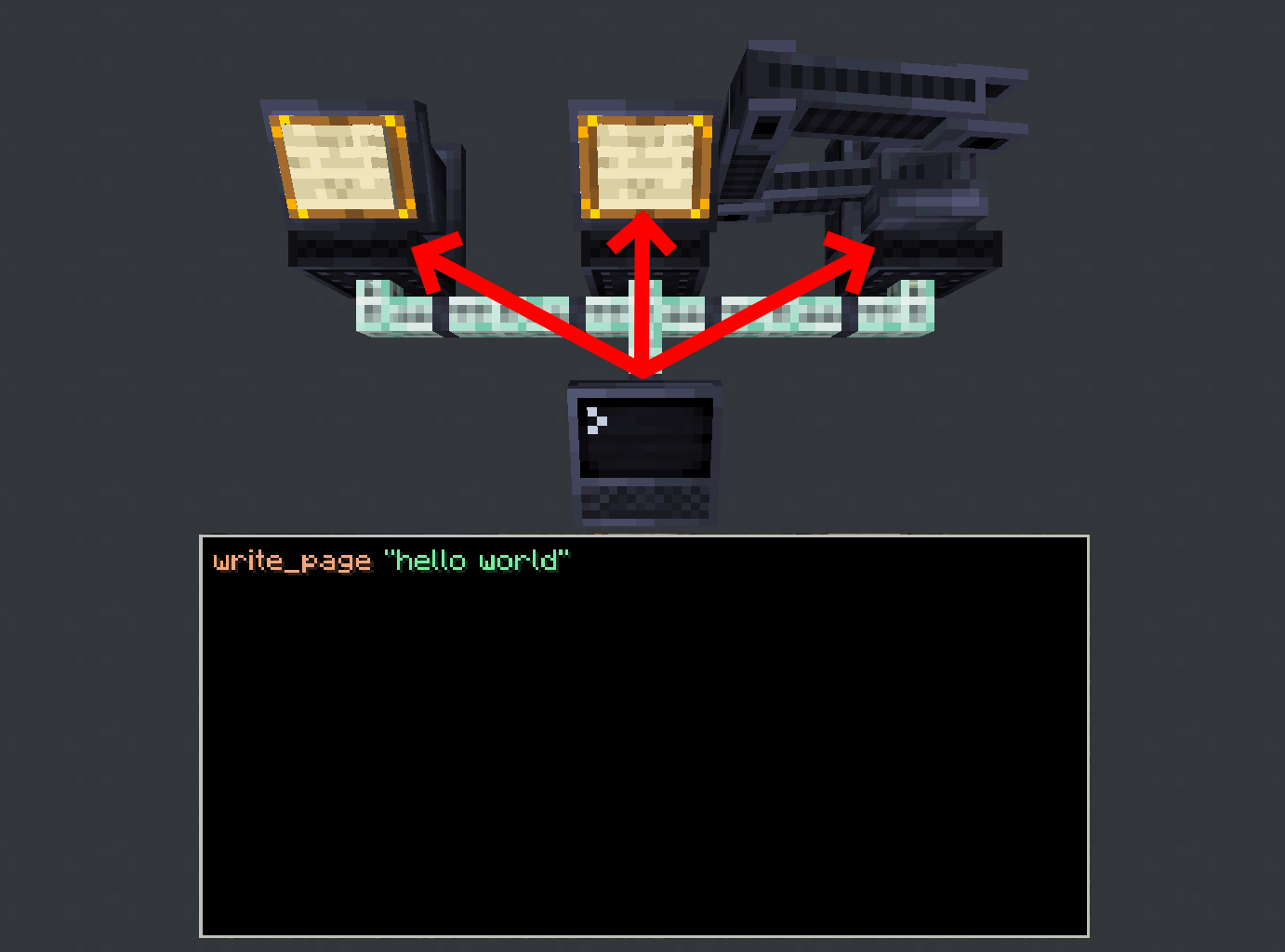
Even serial buses that do not support a command (like the arm receiving write_page) will still receive it,
they just won’t act on it.
In fact, it’s best to picture the code running at each serial bus instead of at the script terminal.
Getters like pos and block will hold the value computed at the serial bus being run.
You can use this to filter commands to only act for one particular serial bus, like so:
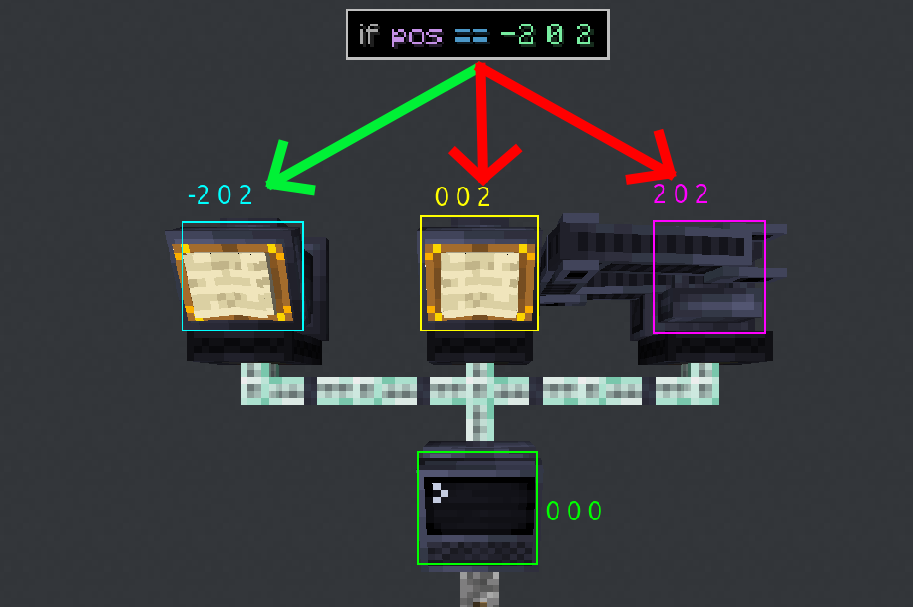
In the above example, the code is still running at every serial bus, but since only the left-most one passes the condition
it will be the only one to act on the command following the if.
(Note: this example has the script terminal located at the world coordinates 0 0 0. Your coordinates will probably differ)
Let’s run through a concrete example. Say we have two arms as seen below, and want them to reach into their respective chests with take_item.
We will use an address pad to label the arms as @arm1 and @arm2, and the chests as @chest1 and @chest2 respectively.
This is not required, but it will make our script easier to write.
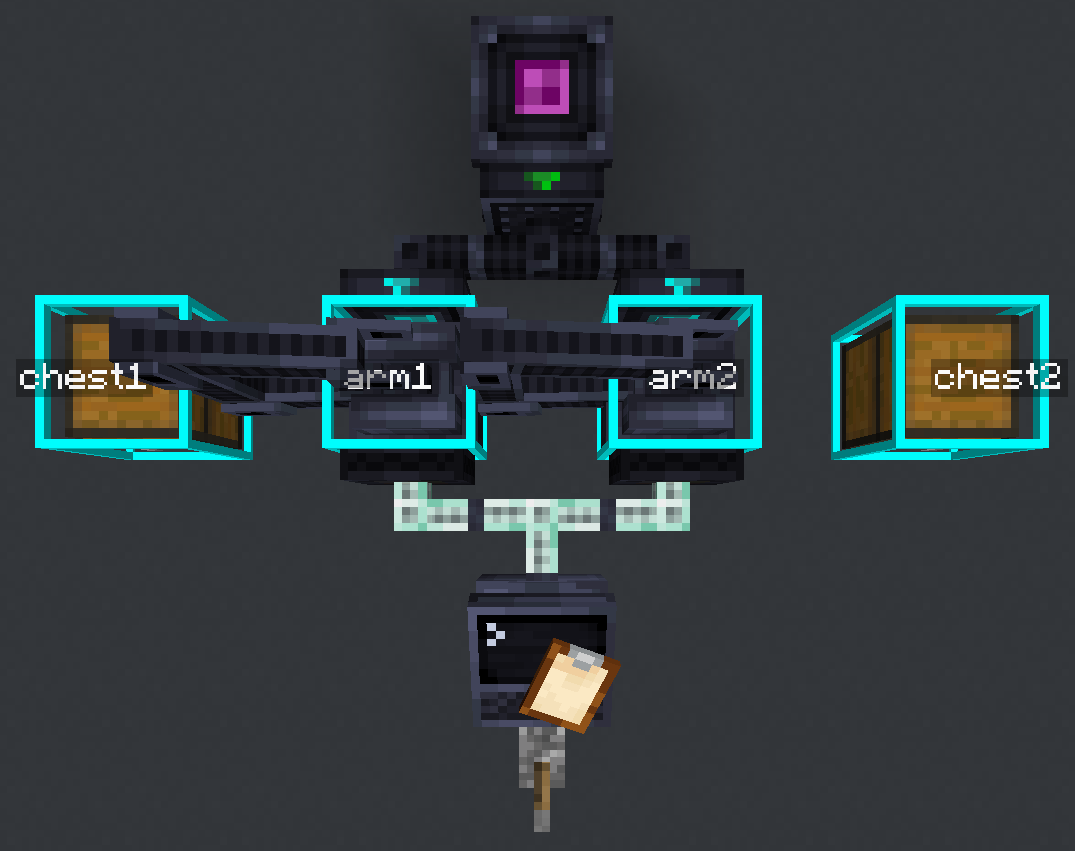
Let’s start off with a naive (and incorrect) script and see what happens.
(Make sure your script terminal delay is set to 16t)
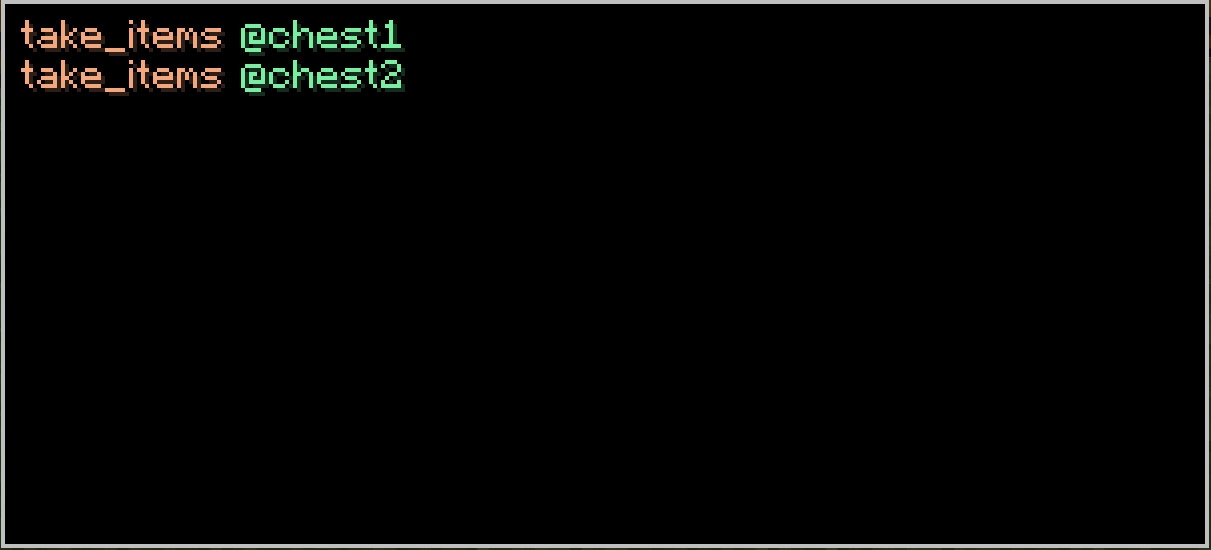
When we run it, we get this result:
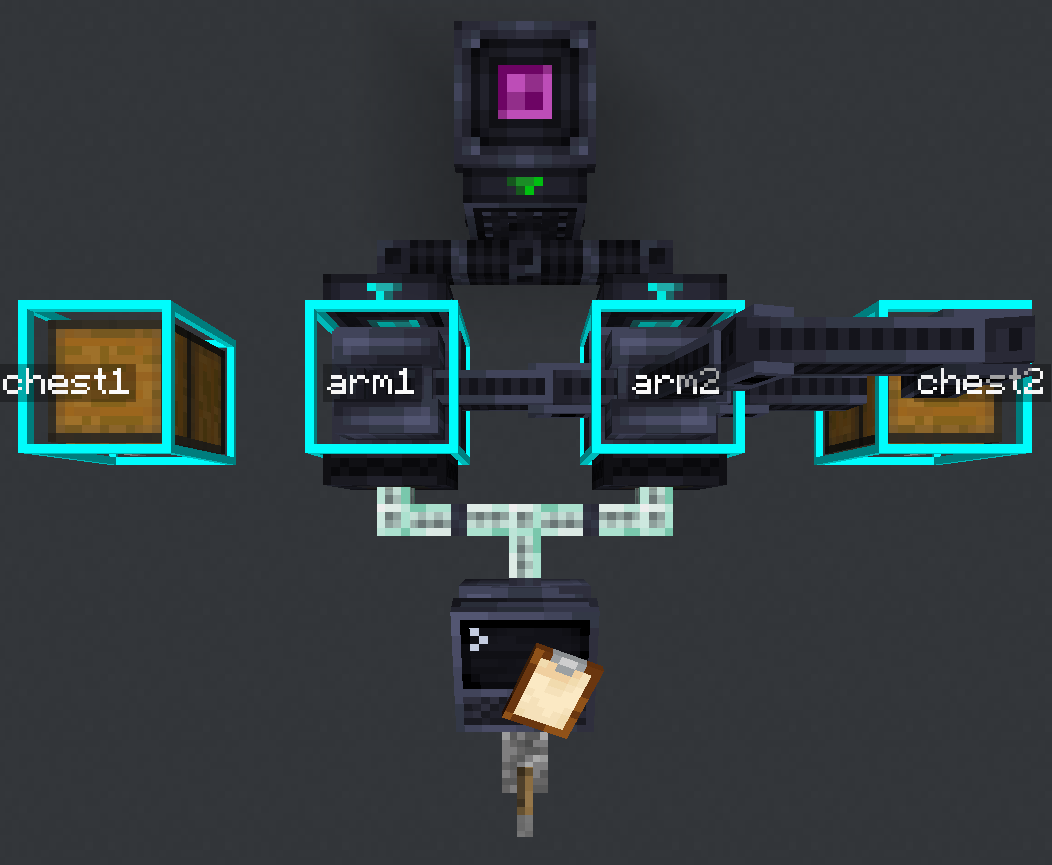
Clearly, this isn’t correct. Both arms reached for the same chest!
This is because both serial buses ran the code to reach for @chest1, and then both ran the code for @chest2.
So, we fix the issue by filtering on the pos variable with our commands:
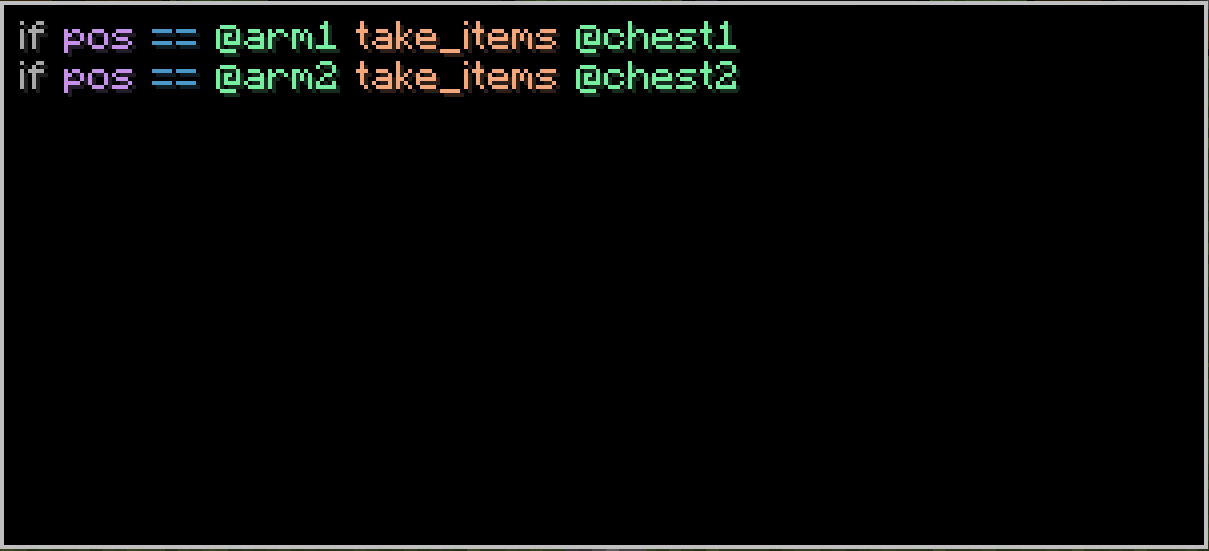
This way, even though both arms are running the same code, they will stick to their respective commands.
If we run the script, we find that it worked! The arms reached to their own chests:
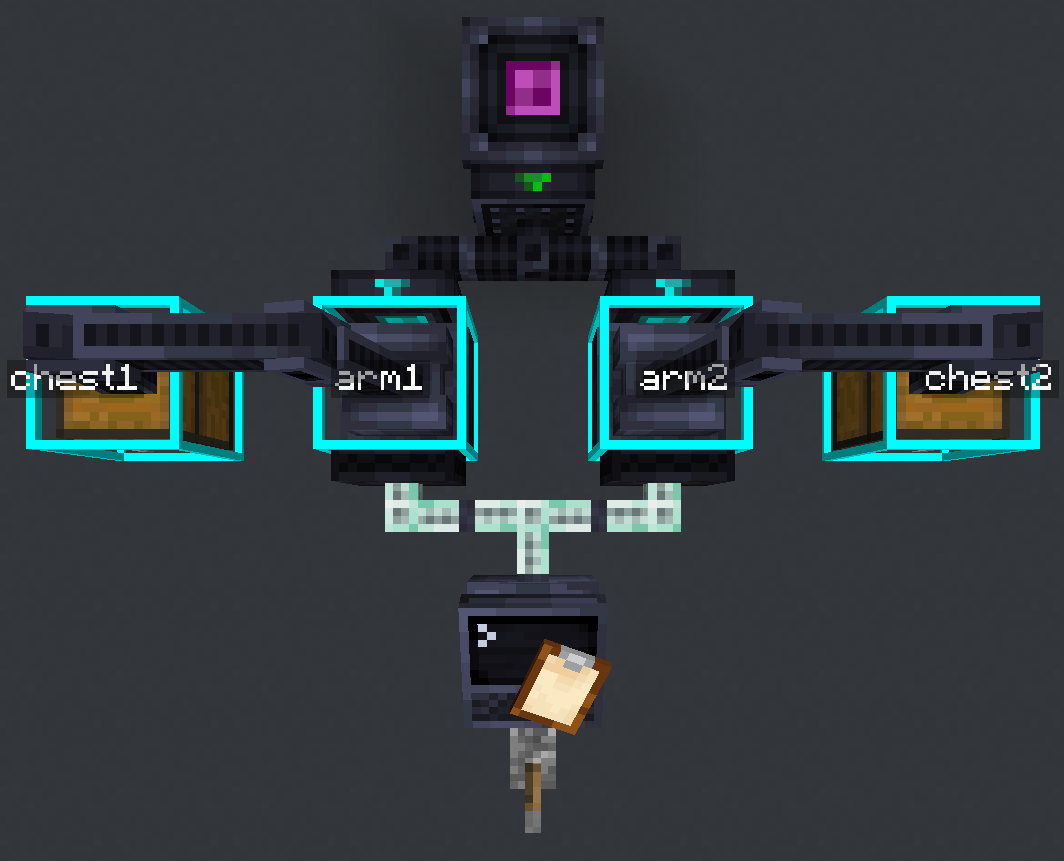
Understanding this (how serial buses each run individually and in parallel) is crucial to understanding the rest of the data system. Remember: the script terminal does not run anything*, it simply sends commands to all connected serial buses.
*Under some rare situations, the script terminal does run part of the script, but those situations will be covered later on